Digitalization Explained: How Documents, Processes, and Business Growth Connect
TL;DR: Digitalization means redesigning how your business operates using digital technologies, not just scanning paper into PDFs. It covers how your documents flow, how your processes run, and how your entire business creates value. Companies that get this right cut costs dramatically, serve customers faster, and grow more profitably. This guide breaks down exactly what digitalization is, how it works across documents and processes, and what you need to do to make it work for your business.
Most business owners think they’ve gone digital. They’ve got email. They use Google Drive. They scan their invoices. So they check the box and move on.
But here’s the hard truth about digitalization: scanning a document and dropping it into a folder is not digitalization. It’s the digital equivalent of putting old wine in a new bottle. The document looks different, but nothing about the way your business actually works has changed.
This confusion is more expensive than most people realize. According to the World Economic Forum (2023), 70% of organizations struggle with digitalization precisely because they mistake it for simple document scanning. That’s a majority of businesses running inefficient operations while thinking they’ve already solved the problem.
Digitalization, done properly, is something far more powerful. It’s about redesigning how your documents move, how your processes operate, and how your business creates and captures value, using modern digital technologies as the engine. This guide will show you exactly what that looks like in practice, what the data says it delivers, and how to start doing it right.
What Is Digitalization, Really?
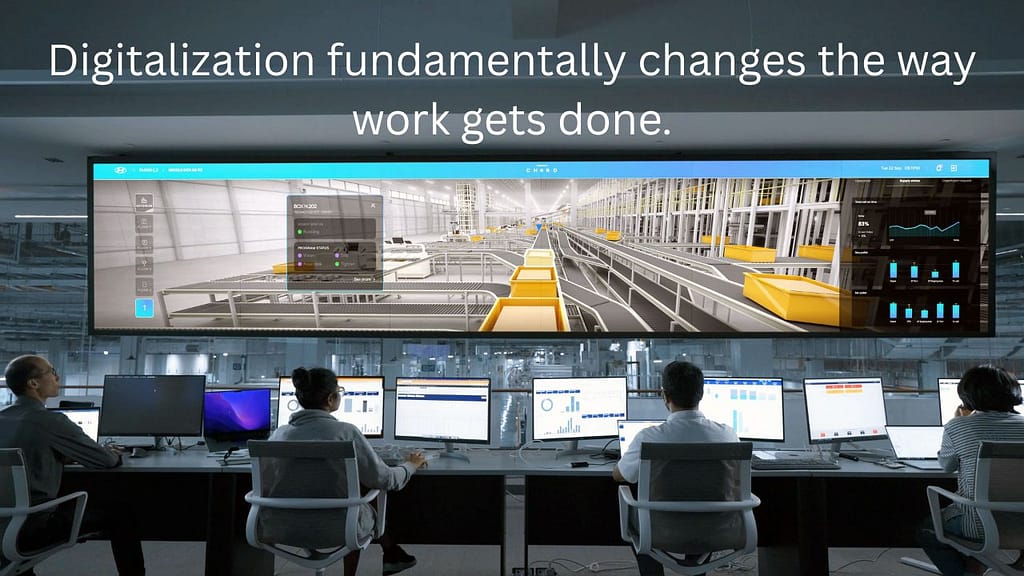
Digitalization is the process of using digital technologies to redesign how business activities, processes, and models operate, with the goal of improving performance, efficiency, and value creation. It goes beyond converting physical documents into digital files. It fundamentally changes the way work gets done.
This definition matters because most businesses stop at the file-conversion stage and wonder why nothing improves. True digitalization means the process itself changes, not just the format of the data inside it.
Think about it this way. A hospital that scans patient records into a PDF has digitized those records. But a hospital where doctors access patient histories in real time, where alerts fire automatically when a drug interaction is detected, and where billing happens without manual data entry, that hospital has digitalized its operations. The difference isn’t cosmetic. It’s structural.
Gartner, one of the world’s leading technology research firms, defines digitalization as “the use of digital technologies to change a business model and provide new revenue and value-producing opportunities.” Notice what that definition doesn’t say. It doesn’t say anything about scanning. It’s about changing the model.
This is why digitalization sits in the middle of a three-layer framework that every business leader needs to understand before making any investment in digital tools.
The Three Layers of Digital Change:
| Layer | What It Means | Example |
| Digitization | Converting analog data to digital format | Scanning a paper invoice into a PDF |
| Digitalization | Using digital data to redesign processes and workflows | Automating invoice approval and payment via software |
| Digital Transformation | Rethinking the entire business model using digital capabilities | Becoming a fully data-driven business with new revenue streams |
Digitization is the foundation. Digitalization is where the real business value starts. Digital transformation is the destination. You can’t skip layers, but most businesses stall at layer one and call it progress.
Digitalization vs. Digitization vs. Digital Transformation: What’s the Actual Difference?
Digitization converts analog information into digital format. Digitalization uses that digital information to change how processes work. Digital transformation uses digitalization at scale to redesign the entire business model and strategy. They are three distinct stages, and confusing them leads to wasted investment and zero measurable improvement.
Getting this wrong isn’t a minor mistake. It’s the reason so many “digital initiatives” produce shiny new software purchases and zero change in business outcomes.
Here’s how to think about each one in a practical business context.
Digitization is purely about format. You’re taking something physical or analog and converting it into a digital file. A scanned contract. A typed-up paper form. An audio recording turned into an MP3. The process around that document hasn’t changed. A person still reviews it, signs it, files it, and retrieves it manually. Only the medium is different.
Digitalization is about changing the process. You take that digital document and you build intelligence around it. The contract gets routed automatically to the right approver. Signatures happen electronically in seconds. The signed contract triggers a payment schedule in your accounting software. Nobody manually files anything because the system categorizes and stores it automatically. The work that took three days now takes three hours, and it requires less human intervention at every step.
Digital transformation is about reinventing the business model entirely. This is Amazon building a logistics network so sophisticated it becomes its own business (Amazon Logistics). It’s Netflix digitizing video content, digitalizing its distribution process, and then transforming into a content studio. As Harvard Business Review has pointed out, digital transformation is not about technology. It’s about strategy, and technology is just the tool that makes the new strategy possible.
You need to know which stage you’re in, because the investments, the timelines, and the success metrics are completely different at each level.
For most small and mid-sized businesses, the biggest wins are sitting at the digitalization layer. That’s where we’ll spend the most time in this post. And if you’re ready to think bigger, our digital transformation roadmap gives you a structured path from where you are today to full-scale transformation.
How Digitalization Works for Business Documents
Documents are the connective tissue of every business. Contracts, invoices, purchase orders, employee records, compliance reports, customer agreements: these aren’t just paperwork. They represent decisions, obligations, relationships, and money. How you handle them determines how efficiently your entire business operates.
The problem with paper-based or even basic digital documents is that they require constant human handling. Someone creates the document. Someone else reviews it. A third person approves it. Someone files it. Someone else retrieves it six months later. Every one of those handoffs is a potential delay, error, or bottleneck.
Document digitalization redesigns that entire chain.
According to an Adobe Document Cloud Report (2023), 80% of enterprise workflows still touch paper at some stage. That’s not a legacy problem in old industries. That’s the reality across sectors. And it costs real money. The same report found that processing a single paper document costs businesses an average of $20, when you factor in printing, storage, retrieval, and human handling time.
Now multiply that by the thousands of documents your business processes each year. The number becomes significant very quickly.
Here’s what document digitalization actually looks like in practice:
Optical Character Recognition (OCR): OCR technology reads scanned documents and converts printed or handwritten text into machine-readable data. This is the technical backbone of document digitalization. Instead of a PDF image that nobody can search or edit, you get structured data that your systems can process, route, and analyze. IBM’s AI-powered document processing tools are a strong example of how OCR has evolved beyond simple text recognition into intelligent data extraction.
Document Management Systems (DMS): A DMS is software that stores, organizes, version-controls, and provides access to digital documents across your organization. Good DMS platforms include automated metadata tagging, access controls, audit trails, and search functionality. You stop losing documents. You stop having five versions of the same contract floating around in different inboxes.
Automated Workflow Routing: This is where digitalization starts earning its keep. Instead of manually passing a document from person to person, workflow routing software sends documents to the right person automatically, based on rules you define. Approvals happen faster. Bottlenecks become visible. Nothing slips through the cracks because the system tracks every step.
According to Forrester Research, automated document workflows reduce processing time by 60 to 80% compared to manual paper-based methods. That’s not a marginal improvement. It’s a structural shift in how much work your team can handle without adding headcount.
Compliance and Audit Readiness: Regulated industries (finance, healthcare, legal, real estate) face constant compliance pressure. Digital document systems with built-in audit trails, retention policies, and access logs make compliance significantly easier and far less expensive to maintain.
The goal of document digitalization isn’t to have fewer papers. It’s to have smarter processes. And smart processes scale.

How Does Digitalization Transform Business Processes?
Digitalization transforms business processes by replacing manual, sequential workflows with automated, intelligent systems that route information, trigger actions, and generate insights without constant human intervention. The result is faster execution, fewer errors, lower costs, and processes that scale without proportional increases in headcount or resources.
Process digitalization is where the economics of digitalization become impossible to ignore.
Every business runs on processes: sales, procurement, HR, customer service, finance, operations. Most of these processes were designed for a world where information moved on paper and decisions required face-to-face communication. They weren’t designed for speed, scale, or data-driven decision-making. Digitalization forces you to redesign them from the ground up with those goals in mind.
Here’s what that redesign actually looks like across a few core business functions:
Sales and CRM Processes
Before digitalization, a salesperson tracks leads in a spreadsheet. They manually log calls. They forget to follow up. And they lose deals because the process depends entirely on individual memory and discipline. After digitalization, a CRM system captures every lead automatically, logs every interaction, triggers follow-up reminders, and shows you exactly where every deal sits in the pipeline. The process runs whether the salesperson is at their desk or not.
Finance and Accounts Payable
Before digitalization, invoice processing involves printing, routing, stamping, approving, and manually entering data into accounting software. Each invoice takes days. After digitalization, invoices arrive digitally, get read by OCR software, matched automatically to purchase orders, routed for electronic approval, and posted to the accounting system without manual data entry. The same work that took three days takes three hours.
According to McKinsey Global Institute, digitalizing business processes like these can reduce operational costs by up to 90% and cut turnaround times by up to 90% in optimized workflows. Those numbers seem extreme until you see them play out in practice.
HR and Onboarding
Before digitalization, a new hire spends their first week filling out paper forms, waiting for IT to set up accounts, and sitting through manual orientation sessions. After digitalization, onboarding workflows trigger automatically the moment an offer is signed. Forms get completed digitally before the first day. IT access gets provisioned automatically. Training content lives in a learning management system the employee accesses on their own schedule. The new hire is productive faster, and HR spends less time on administration.
To see specific examples of where AI is taking this further, our guide on business problems AI can automate and solve covers the next layer of process intelligence in detail.
The Before and After of Process Digitalization
| Process Area | Before Digitalization | After Digitalization |
| Invoice Approval | 3-5 days, manual routing | Same day, automated routing |
| Customer Onboarding | 1-2 weeks, paper forms | 24-48 hours, digital workflows |
| HR Compliance Reporting | Manual compilation, error-prone | Automated, real-time reporting |
| Contract Management | Email chains, version confusion | Centralized DMS, e-signatures |
| Sales Pipeline Tracking | Spreadsheets, manual updates | Real-time CRM with automated logging |
The pattern is consistent. When you digitalize a process properly, you get speed, accuracy, and visibility that manual systems simply can’t match.
To take this further in your own business, our comprehensive workflow automation guide walks you through how to identify, map, and automate your most critical processes step by step.
The Real Business Growth Case for Digitalization
Digitalization isn’t just an operational upgrade. It’s a growth driver. The data is consistent across industries and company sizes: businesses that digitise core processes outperform those that don’t on profitability, customer satisfaction, speed, and competitive positioning.
Let’s look at what the numbers actually say.
Profitability
A study by IDC (2024) found that companies that fully digitalize their core processes are 26% more profitable than their industry peers. That gap doesn’t come from magic. It comes from lower cost per transaction, fewer errors, faster cycle times, and the ability to scale revenue without scaling headcount at the same rate.
Market Size and Momentum
Statista (2024) values the global digital transformation market at over $2.5 trillion. Document management and process automation are among the fastest-growing segments within that market. This tells you something important: the businesses investing in digitalization aren’t a niche. They’re becoming the standard. Businesses that don’t invest are falling behind relative to a moving baseline, not a fixed one.
Customer Experience
Deloitte Insights (2024) found that businesses with digitalized customer-facing processes see a 20 to 30% improvement in customer satisfaction scores. Faster responses, fewer errors, more consistent service: these are the direct outputs of digitalized customer workflows. And in a world where customer expectations are set by the best digital experiences they’ve ever had (not the average), speed and consistency are competitive advantages.
Competitive Positioning
Gartner (2024) projects that by 2026, 75% of organizations will use digital platforms as the primary means of generating business value. That means being a non-digitalized business in 2026 won’t be a niche strategy. It will be a structural disadvantage.
These aren’t abstract numbers. They represent real businesses making real decisions. The businesses that treated digitalization as a core growth strategy are pulling ahead. The ones that treated it as an IT project are still wondering why their efficiency hasn’t improved.
Digitalization also creates a data advantage that compounds over time. When your processes are digital, every transaction, interaction, and decision generates data. That data becomes the input for better decisions, better forecasting, and eventually better AI-powered tools. It’s a flywheel. You can’t build it if your processes are still manual.
For a deeper look at how digitalization connects to financial performance and wealth-building for business owners, our content on financial efficiency gains explores that angle in full.
Where Do Most Businesses Go Wrong with Digitalization?
Most businesses fail at digitalization not because they lack the technology, but because they implement digital tools on top of broken processes, treat it as an IT project rather than a business strategy, and underestimate the human change management required to make new systems stick.
This is the mistake we see most consistently, and it’s worth being direct about it because it’s so common and so preventable.
Here’s the sequence that plays out repeatedly. A business decides to “go digital.” Someone in leadership buys a new software platform, whether it’s a document management system, a CRM, or an ERP. The IT team installs it. Employees get a two-hour training session. Three months later, half the team is still using the old process in parallel because the new system is confusing, or nobody updated the workflow rules to match the new tool, or the tool was chosen based on features rather than the actual process problem it needed to solve.
PwC’s Global Digital IQ Survey (2024) found that only 6% of companies have successfully scaled their digitalization initiatives enterprise-wide. Six percent. That’s not a technology failure. That’s a strategy and execution failure at scale.
The most common mistakes businesses make:
1. Digitizing without redesigning
Buying a digital tool and using it to replicate the exact same manual process is the single most expensive mistake in digitalization. You automate the inefficiency. The result is a faster broken process, not a better one. Before you pick a tool, map the process. Find the bottlenecks. Redesign the workflow. Then choose the technology that supports the new design.
2. Treating digitalization as an IT project
Digitalization is a business strategy. IT is one part of the team that executes it. When the business side isn’t driving the goals, success metrics, and change management, the project delivers a technical output that nobody uses effectively.
3. Skipping change management
People are creatures of habit. Even when a new system is clearly better, employees will default to old behaviors unless there’s a deliberate process for training, reinforcement, and accountability. Digitalization without change management is digitalization that fails after six months.
4. Trying to digitalize everything at once
Scale slowly. Start with the process that has the clearest bottleneck, the easiest ROI case, and the most motivated team. Win there. Use that win to build organizational confidence and momentum. Then expand.
5. Ignoring data quality
Digitalization creates data. But if the data going in is inconsistent, incomplete, or inaccurate, the digital system just surfaces those problems faster at scale. Clean your data before you automate around it.
The businesses that get digitalization right treat it as an ongoing capability, not a one-time project. They build, measure, learn, and iterate.
How to Start Digitalizing Your Business: A Practical Framework
Starting digitalization doesn’t require a massive budget or a dedicated IT department. It requires a clear framework, honest prioritization, and a willingness to redesign how your work actually gets done, not just the tools you use to do it.
We’ve talked to a lot of business owners who feel overwhelmed by this. They know they need to modernize, but the scope of it feels paralyzing. Here’s the truth: you don’t need to digitalize everything at once. You need to start with the highest-impact, lowest-complexity process you can identify and build from there.
Here’s a practical framework for getting started:
Step 1: Audit Your Current Processes
Before you touch any technology, map out your core business processes. Where does work get created? Where does it flow? And where does it slow down, get lost, or require the most manual intervention? Look for the processes that are highest in volume, highest in cost, or highest in error rate. Those are your starting points.
Step 2: Separate Digitization from Digitalization Opportunities
Some things just need to be digitized. Your paper archives, your physical forms, your old records: scanning and storing these is valuable but limited. Identify the processes where digitalization (redesigning the workflow itself) would deliver a step-change in performance. Focus your energy and budget there.
Step 3: Choose Tools That Fit the Process
Don’t start with the tool. Start with the problem. Once you know exactly what you need the process to do, find the technology that enables it. A document management system for contract workflows. A CRM for sales processes. An accounts payable automation platform for invoice processing. The technology should serve the redesigned process, not define it.
For guidance on choosing the right tools, our roundup of the best AI productivity tools covers the leading platforms across key business functions.
Step 4: Pilot Before You Scale
Pick one team, one department, or one process. Run the new digital workflow in a controlled environment. Measure the outcomes: time saved, errors reduced, cost per transaction, employee adoption rate. Prove the model works before rolling it out across the business.
Step 5: Build in Change Management from Day One
Tell your team why this is happening. Show them what’s in it for them. Train them properly, not just once but with reinforcement over time. Designate internal champions who can support their peers. Make the new way easier than the old way, and people will follow.
Step 6: Measure, Learn, and Scale
Define your success metrics before you start. Track them consistently. Use the data your new digital processes generate to identify the next optimization opportunity. Then scale what works to the next process, the next department, the next layer.
AI is increasingly the tool that makes digitalization smarter at every step. From intelligent document processing to automated workflow decisions, AI tools are turning good digital processes into exceptional ones. Our guide on how AI is changing industries shows you where this is heading and how to position your business ahead of it.
The businesses winning in the digital economy right now aren’t necessarily the largest or the best-funded. They’re the ones that have been the most deliberate about redesigning how they operate. That’s a decision any business can make, starting today.
Conclusion
Digitalization is not a technology project. It’s a business decision with technology as the tool.
The three biggest takeaways from everything we’ve covered: First, digitalization is fundamentally different from digitization. Scanning documents is just the starting point. Redesigning the processes around those documents is where the value lives. Second, the business case is clear and data-backed. Digitalized businesses are more profitable, serve customers better, and scale more efficiently than those operating on manual workflows. Third, the most common failure mode is avoidable. Businesses fail at digitalization when they put new tools on old processes. Start by redesigning the process, then choose the technology.
The digital economy rewards businesses that are fast, data-smart, and operationally efficient. Digitalization is how you build all three.
If you’re ready to put this into motion, start with our complete guide on how to digitalize your business for a step-by-step implementation plan built for business owners who are serious about winning.
Frequently Asked Questions
1. What is the difference between digitalization and digitization?
Digitization means converting physical or analog information into a digital format, such as scanning a paper document into a PDF. Digitalization goes further: it uses that digital data to redesign and improve how business processes work. Digitization changes the format. Digitalization changes the process. According to Gartner, digitalization is specifically about using digital technologies to change a business model and create new value-producing opportunities.
2. What are examples of digitalization in business?
Digitalization examples include automating invoice approval workflows so that invoices are routed, reviewed, and paid without manual handling; using CRM software to track and manage the entire sales process automatically; digitalizing employee onboarding so that new hires complete forms, access training, and receive system credentials through automated workflows before their first day; and replacing paper-based customer contracts with electronic signature platforms that trigger automated follow-up actions upon signing.
3. How does digitalization improve business processes?
Digitalization improves business processes by replacing manual handoffs with automated routing, reducing errors through system-enforced rules, and generating real-time data that helps managers make faster and better decisions. Forrester Research found that automated document workflows reduce processing time by 60 to 80% compared to manual methods. McKinsey Global Institute has documented cost and time reductions of up to 90% in optimized digitalized workflows.
4. What industries benefit most from digitalization?
Every industry benefits from digitalization, but the gains are most dramatic in industries with high document volume and complex approval chains. Financial services, healthcare, legal, manufacturing, logistics, and retail all see significant gains in efficiency, compliance, and customer satisfaction from digitalizing core processes. Deloitte Insights (2024) found that digitalized customer-facing processes deliver 20 to 30% improvements in customer satisfaction scores across industries.
5. How long does it take to digitalize a business?
There is no single timeline because it depends on the size of the business, the complexity of its processes, and the scope of the digitalization initiative. A small business digitalizing one core process (such as invoice management) might see results within 30 to 90 days. Enterprise-wide digitalization typically takes 12 to 36 months when done in planned phases. The key is to start with a high-impact pilot, prove the model, and scale incrementally rather than attempting to transform everything at once. PwC (2024) found that only 6% of companies have successfully scaled digitalization enterprise-wide, which underscores the importance of a phased approach.