
Which AI Image Generator Is Free for Commercial Use? A Comprehensive Guide
Which AI image generator is free for commercial use? In practice, several leading tools let you use their AI‑generated images in commercial projects on free or low‑cost tiers, including Adobe Firefly, DALL·E (via OpenAI and Microsoft Bing/Designer), Stable Diffusion, and Canva’s AI Image Generator. The safest approach is to confirm each tool’s current terms, understand what “free for commercial use” actually covers, and build a simple workflow that keeps you compliant.
Quick answer: Which AI image generator is free for commercial use?
If you just want a fast list, here are some of the most widely used AI image generators that, as of 2024, allow commercial use of images you create, even when you access them through free tiers or open‑source setups:
- Adobe Firefly – Commercial use allowed for generated images, with a generous free credit allowance.
- DALL·E (OpenAI) – You own the images you generate and can use them commercially; Microsoft’s Bing Image Creator and Designer expose DALL·E with free usage limits.
- Stable Diffusion / SDXL – Open‑source models whose license allows commercial use when you follow the acceptable‑use policy.
- Canva AI Image Generator – Included in Canva Free and Pro; Canva’s license allows most commercial uses of your designs.
However, “Which AI image generator is free for commercial use?” hides a lot of nuance:
- “Free” might mean:
- No ongoing royalties per image, but
- You still have usage caps or credit‑based limits.
- “Commercial use” usually means:
- You can use the images in business, marketing, products, or services,
- As long as you follow the provider’s content rules and the law.
So instead of trusting short lists, let’s walk through each major tool, what its terms actually say, and how to choose the right mix for your business.
What “free for commercial use” really means with AI image generators
Before you pick a tool, you should pin down what you actually need.
“Free” isn’t always unlimited
When people ask “Which AI image generator is free for commercial use?”, they usually mean:
- I don’t pay royalties or license fees per image.
- I can use the image in paid projects, marketing, or products.
- I can start without a big upfront cost.
Many tools meet that bar but still impose:
- Credit systems (e.g., Adobe Firefly generative credits).
- Rate limits (limited images per day/month).
- Feature restrictions (lower resolution, no bulk generation, no API).
That’s still perfectly fine for many small teams—as long as you understand the boundary between free and paid usage.
What counts as “commercial use”?
Most providers use “commercial use” in a broad sense:
- You use the image for business or professional purposes:
- Website graphics
- Social and ad creatives
- Product packaging and labels
- Print‑on‑demand merch
- Book covers or editorial illustrations
- Or you monetize the image more directly:
- Prints, posters, and downloads
- Stock imagery (on platforms that accept AI content)
They still restrict how you use it. For example, almost every provider bans:
- Illegal or harmful content.
- Deepfakes or deceptive uses of real people.
- Certain political, medical, or financial claims.
The rest of this guide walks through the tools that currently fit the “free for commercial use” bucket and how to use them responsibly.
Top free‑for‑commercial‑use AI image generators at a glance
Here’s a quick comparison of popular options that support commercial use. Always confirm the current terms on each official site before relying on them in high‑stakes projects.
| Tool | Entry‑level cost | Commercial use allowed?* | Where it shines |
| Adobe Firefly | Free Adobe ID + free credits | Yes, Adobe markets Firefly as safe for commercial use | Branded marketing, composites, Adobe workflows |
| DALL·E (OpenAI) | Free trial credits; then paid | Yes, per OpenAI’s terms of use | High‑quality illustrations, concept art |
| Bing Image Creator / Designer | Free with Microsoft account | Yes, for typical marketing/business use | Social graphics, quick marketing visuals |
| Stable Diffusion / SDXL | Free, open‑source model | Yes, per CreativeML Open RAIL‑M license | Custom pipelines, self‑hosted workflows |
| Canva AI Image Generator | Included in free & paid plans | Yes, under Canva’s Content License Agreement | Non‑designers, social, presentations, marketing |
Subject to each provider’s content policies, terms of use, and any plan‑specific limitations. Always read the current documentation.
Now let’s dig into each option.
Adobe Firefly: Free credits and “safe for commercial use”
Adobe Firefly sits at the center of Adobe’s generative AI strategy. You can use it via:
- The Firefly web app
- Photoshop (Generative Fill/Expand)
- Illustrator (Generative Recolor, vector generation)
- Other Creative Cloud tools
How Firefly handles commercial use
Adobe actively markets Firefly as “safe for commercial use.” On its Adobe Firefly product pages and FAQ, Adobe explains that it trains Firefly primarily on:
- Licensed content (including a large portion of Adobe Stock)
- Public domain content where copyright has expired
Because of this training approach, Adobe positions Firefly as lower‑risk for businesses that worry about copyright exposure from unknown scraping.
In plain language, Adobe says:
- You can use Firefly‑generated content commercially.
- You still need to follow Adobe’s general terms and the Firefly user guidelines.
What’s free and what’s paid?
Adobe uses a generative credit system:
- With a free Adobe ID, you receive a certain number of monthly Firefly credits.
- Each generated image (or edit) consumes credits.
- When you exceed the free quota, Firefly doesn’t stay fully “free” at scale. You either:
- Wait for the next monthly reset, or
- Upgrade to a paid Creative Cloud plan that includes more credits.
So Firefly is free for commercial use within those monthly limits. For light to moderate usage, that’s often enough.
Best uses for Firefly
From a content and SEO workflow point of view, Firefly works well when:
- Your team already lives in Photoshop/Illustrator.
- You want brand‑friendly composites (e.g., product mockups, hero banners).
- You care about working with a vendor that stresses licensed training data.
You still need to avoid obvious trademark and likeness issues—for example, don’t prompt Firefly to reproduce named brands, logos, or celebrities.
DALL·E and Bing Image Creator: Commercial rights with accessible free usage
DALL·E (currently DALL·E 3 in many interfaces) remains one of the most popular AI image generators. You can reach it through:
- OpenAI directly (e.g., via ChatGPT Plus, the OpenAI API)
- Microsoft Bing Image Creator and Microsoft Designer, which integrate DALL·E with free generation options.
What OpenAI’s terms say about commercial use
OpenAI’s Terms of Use state that, subject to compliance with their policies:
- You own the output you create with OpenAI services (including DALL·E images).
- You may use those outputs for any legal purpose, including commercial use.
That means:
- You can use DALL·E images in your marketing, on your website, in ads, on packaging, and in products.
- You don’t pay per‑image royalties or grant OpenAI exclusive rights to your outputs.
You must still respect:
- OpenAI’s usage policies (no prohibited content, no fraudulent or harmful uses).
- Any platform‑specific rules (e.g., how you accessed DALL·E via a partner).
Using DALL·E through Microsoft Bing and Designer
Microsoft exposes DALL·E in more user‑friendly ways:
- Bing Image Creator (often branded as Image Creator from Designer)
- Microsoft Designer in Microsoft 365
You can typically:
- Sign in with a free Microsoft account.
- Generate images using a limited pool of “boosts” (fast generations).
- Continue at a slower rate after you consume boosts.
Microsoft promotes Designer as a tool for creating social media and marketing assets for small businesses. On the Microsoft Designer product page and in its help docs, Microsoft explains that you can:
- Use AI‑generated visuals in your social posts, presentations, and other business materials.
- Rely on these assets for typical small‑business commercial projects, while respecting their content policies and the general Microsoft Services Agreement.
Practical takeaways
- If you want high‑quality images with strong composition and detail, DALL·E (through OpenAI or Microsoft) works very well.
- Bing Image Creator and Designer let you:
- Experiment for free.
- Use the images commercially within normal marketing and business activities.
- For heavier usage (e.g., daily ad creatives, bulk blog illustration), you’ll likely:
- Upgrade to paid OpenAI usage, or
- Stay within Microsoft’s evolving free/paid structure.
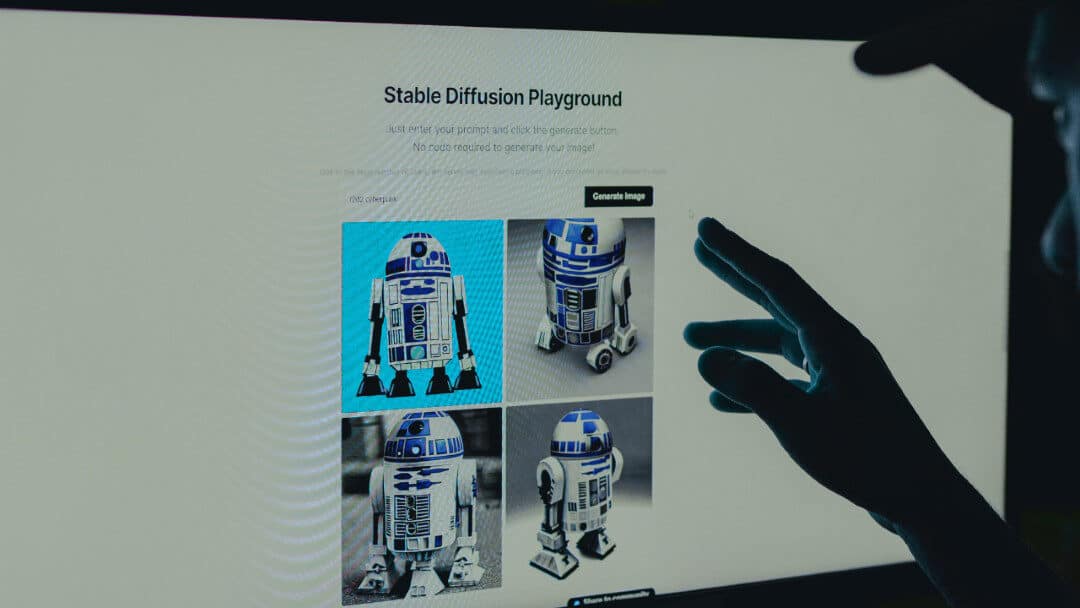
Stable Diffusion & SDXL: Open‑source, flexible, and free for commercial projects
Stable Diffusion and its successor models (like SDXL) power a huge ecosystem of tools. You can:
- Run Stable Diffusion locally on your own computer or server.
- Use hosted UIs and APIs that sit on top of the model.
The Stable Diffusion license and commercial use
Stability AI distributes Stable Diffusion under the CreativeML Open RAIL‑M license. You can read the full license text and acceptable‑use policy in the Stable Diffusion license on GitHub.
Key points from that license:
- You can use the model and generated outputs commercially.
- You must follow the acceptable‑use policy, which bans:
- Illegal activities
- Harassment, discrimination, or exploitation
- Certain sensitive and harmful uses
In other words:
- You don’t pay Stability AI royalties to sell products or services that include images you create with Stable Diffusion.
- But you accept responsibility for how you use it.
Ways to use Stable Diffusion for free
You typically have two main paths:
- Run it locally (self‑hosted)
- Install a UI like AUTOMATIC1111 or ComfyUI.
- Download a Stable Diffusion / SDXL checkpoint.
- Generate images on your own hardware.
- Cost: your time, hardware, and electricity—but no per‑image fees.
- Use a hosted service that offers free tiers
- Many web apps built on Stable Diffusion offer:
- Limited free daily generations.
- Paid tiers for heavier use or higher resolution.
- Licensing usually mirrors Stable Diffusion’s general commercial‑friendly stance, but each app can add its own terms, so you must still read them.
- Many web apps built on Stable Diffusion offer:
Pros and cons for commercial use
Pros
- High flexibility and control.
- No per‑image royalties once your setup runs.
- Huge community support and model variety.
Cons
- Technical overhead for local setups.
- More responsibility on you to:
- Store and document your workflows.
- Stay within legal and ethical boundaries.
For companies that want control and scalability, Stable Diffusion offers one of the clearest “free for commercial use” paths—especially when combined with in‑house policies and review.
Canva AI Image Generator: Free plan with commercial‑friendly licensing
Canva’s AI Image Generator (often called “Text to Image”) lives inside the main Canva editor and works on both free and paid plans.
Commercial rights under Canva’s terms
Canva explains the legal side in its Content License Agreement. In that document, Canva:
- Grants users a license to use their designs commercially, including many that incorporate Canva’s own media and AI‑generated assets.
- Outlines restrictions around:
- Using content as a logo or trademark.
- Reselling unmodified Canva content as stand‑alone files.
- Certain sensitive or restricted uses.
For AI‑generated images specifically:
- You can generally treat them like other Canva‑created visuals.
- You can use them across:
- Social media
- Presentations
- Marketing materials
- Many types of commercial print
You should still read the current license carefully, especially if you:
- Plan to register a logo or mark.
- Sell products where the AI image is the main value proposition (e.g., art prints).
Why Canva works well for many businesses
From a practical standpoint, Canva’s AI Image Generator suits:
- Non‑designers who want a simple text‑to‑image prompt box.
- Social media teams that need fast, on‑brand visuals.
- Small businesses that want to keep everything in one platform:
- Design
- Collaboration
- Asset management
You get a commercial‑friendly, no‑code path into AI images without learning heavy tools.
Other AI image generators that offer free commercial use (with caveats)
A growing list of smaller tools market themselves as “free for commercial use.” Examples include:
- Lexica / Lexica Aperture – Built on Stable Diffusion; Lexica has positioned its generated images as usable for commercial purposes. Terms can evolve, so always check Lexica’s latest policy.
- BlueWillow – A Discord‑based generator that previously promoted full commercial rights to images you create. Again, verify the current terms on BlueWillow’s official site or docs.
Because these tools move fast:
- Don’t simply trust old blog posts or forum threads.
- Make a habit of:
- Visiting the official site’s Terms of Use / License / FAQ.
- Taking screenshots or saving PDFs of relevant sections.
- Re‑checking any time you change how you use the tool.
For critical projects (e.g., product launches, book covers, wide‑distribution campaigns), prioritize tools from providers with clear, stable policies and reputations to protect—like Adobe, Microsoft, and Canva.
How to verify that an AI image generator is really free for commercial use
Instead of relying on hearsay, you can walk through a simple checklist.
Step‑by‑step license checklist
Whenever you evaluate a new AI image generator:
- Find the legal pages
Look for links titled:- “Terms of Use”
- “License”
- “Content Policy”
- “User Agreement”
- They usually sit in the footer.
- Search within the page for “commercial”
Use your browser’s find function (Ctrl+F / Cmd+F) and look for:- “commercial use”
- “royalty‑free”
- “own the output”
- “perpetual license”
- Check whether the rights apply to free users
Some tools:- Allow commercial use only on paid tiers.
- Give free users a more limited, sometimes non‑commercial license.
- Look for ownership language
Phrases like:- “You own the output you create” (OpenAI uses this).
- “We grant you a non‑exclusive, royalty‑free license to use the content…”
- Both can support commercial use, but the details matter.
- Scan for prohibited uses
All reputable providers ban:- Illegal, hateful, or exploitative content.
- Some forms of political, medical, or financial imagery.
- Misuse of real people’s likenesses.
You must comply, even when commercial use is allowed in general.
- Note any attribution or logo restrictions
Common extra rules:- Required credit in certain contexts.
- No use of AI images as part of a registered logo.
- No reselling unmodified assets.
- Save the evidence
For recurring business use, store:- A PDF of the terms.
- The date you accessed them.
- A link in your internal documentation.
That habit pays off when a platform updates its policy or a stakeholder asks, “Are we actually allowed to use this?”
Common red flags and hidden limitations
While you review terms, watch for:
- Non‑commercial licenses (e.g., CC‑BY‑NC)
If you see “NC” (non‑commercial), that content won’t fit business use. - Ambiguous or missing commercial language
If the policy never mentions commercial use but restricts all rights to “personal use,” you should not assume you’re covered. - Rights retained by the platform that feel too broad
Some providers reserve the right to reuse or resell user creations in ways you may not like. That doesn’t always kill commercial use rights, but you should understand the tradeoff. - Aggressive free‑tier throttling
Even if a tool says “commercial use allowed,” a limit like “5 images per month” might make it useless for real campaigns.
If something feels unclear or too good to be true, treat that as a reason to:
- Contact the provider’s support team.
- Or select a more established alternative with clearer documentation.
Is Midjourney free for commercial use?
Midjourney often enters this conversation, so let’s address it directly.
- Midjourney runs as a Discord‑based paid subscription service.
- Historically it has experimented with free trials, but these:
- Come and go.
- Often include restrictions.
Midjourney’s terms (which you should always verify on its official site) generally say:
- Paying subscribers receive broad commercial rights to the images they create.
- Non‑subscribers or trial users may not have the same level of commercial rights.
Because Midjourney’s free access has become limited and conditional, you should not treat it as a reliable “free for commercial use” generator. If your business leans on Midjourney:
- Maintain an active paid subscription that fits your usage.
- Store proofs of plan status and terms at the time you created key assets.
Can I use free AI image generators to design a logo or brand identity?
Short answer: You can, but you probably shouldn’t rely on a pure AI output as your final logo.
Here’s why many brand strategists and lawyers caution against it.
Copyright and uniqueness challenges
Even when a tool’s terms say “you own the output,” local copyright law might:
- Question whether an AI‑dominant work has enough human authorship to qualify for full protection.
- Make it harder to enforce your rights if another company’s logo looks similar.
That’s risky for core brand assets:
- Logos
- Wordmarks
- Mascots that define your visual identity
Platform‑specific logo restrictions
Licenses like Canva’s explicitly address logos. The Canva Content License Agreement explains that:
- You can use Canva designs for many commercial purposes,
- But you must follow special conditions if you intend to use content as a logo or trademark.
Other providers also recommend:
- Not relying on unmodified AI output as your primary, registered mark.
A safer, practical approach
For brand identity work:
- Use AI tools for:
- Moodboards
- Style exploration
- Rough concepts
- Then:
- Hand off promising directions to a human designer.
- Ensure they create distinctive vector artwork from scratch or heavily refine AI inspiration.
- Finally:
- Work with a trademark attorney if you plan to register the logo.
That approach keeps the benefits of AI creativity while reducing long‑term brand risk.
Who owns the copyright in AI‑generated images?
Tool providers and copyright law don’t always speak the same language, so let’s break it down.
What providers like OpenAI say
OpenAI’s Terms of Use specify that:
- You own the output you create with their services, including images from DALL·E.
- They assign any rights they may have in that output to you, subject to your compliance with their terms.
Adobe, Canva, and other major providers follow similar patterns:
- They grant you a license—or in some cases assign rights—to use the outputs in your projects, often including commercial use.
From a contract standpoint, that gives you strong practical rights to use the images.
What the law says in different places
At the same time, copyright law in various countries has started to wrestle with AI:
- Some jurisdictions demand a certain level of human creativity and may deny formal copyright protection to works created mainly by AI.
- Others take a more flexible approach, especially when humans:
- Choose prompts carefully.
- Curate and modify results.
This area continues to evolve.
How to think about it as a business
In daily practice:
- Treat AI images as assets you can use commercially, thanks to the agreements you accept when using the tools.
- For mission‑critical or high‑value assets (logos, hero imagery, IP you want to license):
- Add more human authorship.
- Maintain detailed records of your creative process.
- Consider legal advice in your jurisdiction.
That combination—clear contracts plus real human contribution—puts you in a stronger position.
Can I sell prints, merch, or stock photos made with free AI image generators?
Often, yes—if the tool’s license allows commercial use and you follow its content rules.
Selling physical products and digital downloads
With tools like Adobe Firefly, DALL·E (under OpenAI’s terms), Stable Diffusion, and Canva:
- You generally can:
- Put AI images on T‑shirts, posters, mugs, and other merch.
- Sell them on your own site or marketplaces that permit AI art.
- Offer digital prints and downloads, as long as you don’t:
- Violate prohibited‑content rules.
- Mislead customers.
Be careful to avoid:
- Generating and selling obvious derivatives of famous characters or brands.
- Using AI art that depicts real people without consent in a misleading or exploitative way.
Stock photo and asset marketplaces
Stock marketplaces now take a mixed approach:
- Some accept AI‑generated content but require:
- Clear labeling as AI‑generated.
- Compliance with their own stricter standards.
- Others ban AI content outright or limit it to certain categories.
If stock sales form a core revenue stream for you:
- Pick tools that clearly allow commercial use and derivatives.
- Study the specific policies of each marketplace on AI content and model releases.
What risks remain even when a tool says “free for commercial use”?
Even with a green light from a provider’s license, you still face real‑world risks.
Style and similarity concerns
AI models often:
- Learn from huge image collections.
- Reproduce styles that resemble real artists.
You should avoid prompts like:
- “In the exact style of [living artist].”
- “Copy this specific painting/album cover.”
Even if the license allows commercial use, generating confusingly similar content could invite legal or reputation problems.
Likeness, privacy, and defamation
Many tools now support or experiment with:
- Face‑swapping
- Photo‑realistic portraits
- Image editing of real people
Using those capabilities commercially without consent can:
- Violate privacy or publicity rights.
- Create defamation exposure.
As a rule:
- Don’t depict real people in misleading, harmful, or sexualized contexts.
- Get explicit consent (and model releases) for identifiable likenesses in ads or products.
Misleading or harmful content
Even if the license doesn’t mention it explicitly, regulators increasingly watch for:
- Misleading product images (e.g., food that looks very different from reality).
- Health and financial claims illustrated with authoritative imagery that implies proof or endorsement.
That matters for:
- Ad compliance
- Consumer protection laws
- Platform ad policies (Google, Meta, etc.)
Your internal review process should catch and prevent those uses.
How to choose the right free AI image generator for your business
With the legal pieces in mind, you can now choose tools based on fit rather than hype.
Match the tool to your use case
Here’s a practical mapping:
- Social media and content marketing
- Ideal tools: Canva AI, Bing Image Creator / Designer, Adobe Firefly.
- Why: Fast iteration, built‑in templates, simple exports.
- Blog and SEO illustrations
- Ideal tools: DALL·E, Stable Diffusion, Firefly, Canva.
- Why: Variety of styles, ability to match brand look, straightforward alt‑text and optimization.
- Product mockups and packaging concepts
- Ideal tools: Adobe Firefly (inside Photoshop), Stable Diffusion / SDXL.
- Why: Strong compositing and editing tools, finer control over lighting and layout.
- Internal ideation and concept art
- Ideal tools: DALL·E, Stable Diffusion, Midjourney (paid).
- Why: High fidelity and creative range; not all concepts need public release.
- Print‑on‑demand merch
- Ideal tools: Canva, Stable Diffusion, DALL·E, Firefly.
- Why: Commercial‑friendly licensing, high‑resolution outputs.
Start with the one that best fits your main workflow and add others as needed.
Quality, control, and integration
Consider these questions:
- Do you need fine‑grained control (negative prompts, samplers, custom models)?
- If yes, Stable Diffusion or SDXL with a good UI might suit you.
- Does your team already live in Adobe Creative Cloud or Canva?
- Use the builtin generators to minimize friction.
- Do you want a simple prompt box with great default results?
- Tools like DALL·E via Designer or Firefly’s basic interfaces work well.
The better the fit with your everyday tools, the easier it becomes to keep your AI image usage consistent and compliant.
Data privacy and training sources
Some organizations care deeply about:
- Exactly what data trained the model.
- Whether the provider used licensed, compensated content.
In that case:
- Adobe Firefly’s emphasis on licensed and public‑domain training data may feel safer.
- Self‑hosting Stable Diffusion lets you:
- Control deployment.
- Potentially use custom fine‑tunes on your own proprietary assets.
For highly regulated industries (finance, health, government), always combine:
- Tool‑level policies
- Internal governance
- Legal and compliance input
Best practices for using free AI images in commercial projects
Once you pick tools, you still need a repeatable process that protects your brand.
Document your prompts, tools, and licenses
Create a simple internal log, even a shared spreadsheet, that tracks:
- Tool used (e.g., Firefly, Canva, DALL·E, Stable Diffusion).
- Prompt(s) and seed (if available).
- Date and time of generation.
- Link or reference to the relevant terms or license.
That log helps you:
- Prove that you created an asset with a licensed tool.
- Reproduce or tweak assets later for A/B testing.
- Audit your own content if questions arise months or years later.
Combine AI with human creativity
You get the best blend of originality and legal comfort when humans stay heavily involved.
Practical ways to do that:
- Use AI for first drafts of:
- Backgrounds
- Concepts
- Supporting illustrations
- Then:
- Edit in Photoshop, Illustrator, or Canva.
- Overlay your own photography or brand elements.
- Adjust colors, type, and layout.
That human layer:
- Adds real creative value.
- Helps differentiate your brand from everyone else using similar prompts.
- Can strengthen your copyright position in some jurisdictions.
When to talk to a lawyer or upgrade to an enterprise license
You don’t need a lawyer for every Instagram graphic, but you should seek professional advice when:
- You build a brand identity heavily around AI imagery.
- You plan a big-budget campaign where a single visual appears everywhere.
- You operate in a heavily regulated niche (healthcare, finance, politics).
- You license or sell IP to others and want robust indemnity.
At that point, an enterprise license from a major provider (Adobe, Microsoft, others) can:
- Add contractual protections like indemnity.
- Clarify responsibilities and escalation paths.
- Help you satisfy internal procurement and risk requirements.
Final thoughts: Building a low‑risk, AI‑powered image workflow
To answer the core question clearly:
- Several AI image generators—Adobe Firefly, DALL·E (via OpenAI and Microsoft), Stable Diffusion/SDXL, and Canva’s AI Image Generator—currently support commercial use of images you create, even if you start on free tiers or open‑source setups.
- “Free for commercial use” usually means:
- No per‑image royalties.
- Commercial rights granted in the terms or license.
- Practical limits on volume or advanced features until you pay.
If you want a safe, scalable workflow:
- Pick 1–2 primary tools with clear, well‑documented licenses.
- Read and save their current terms, especially around commercial use.
- Document your prompts and tools for important assets.
- Keep human creativity in the loop—don’t lean on raw AI output for your core brand identity.
- Revisit your choices periodically as tools, laws, and use cases evolve.
That approach lets you tap into the power of AI image generation while protecting your brand, your clients, and your long‑term search and content strategy.
About The Author